
eSherpa-Login-Guard
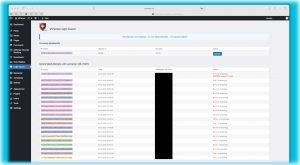
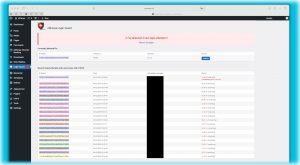
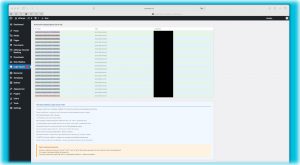
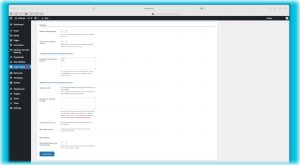
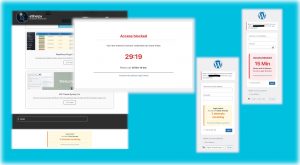
eSherpa Login Guard effectively and intelligently protects your WordPress site from brute-force attacks – Swiss precision, completely without external dependencies.
Intelligent login protection with progressive lockout times, honeypot features, and comprehensive admin overview.

It’s free to download from WP.org https://wordpress.org/plugins/esherpa-login-guard/
– or direct from here.
It’s also FREE to use.
eSherpa-Login-Guard
Sende den Downloadlink an:
=== eSherpa Login Guard ===
Contributors: ralfnaumann
Tags: login security, brute force protection, login lockout, progressive lockout, xml-rpc protection, rest api security, security, honeypot
Requires at least: 5.6
Tested up to: 6.9
Stable tag: 2.5.1
Requires PHP: 7.4
License: GPLv2 or later
License URI: https://www.gnu.org/licenses/gpl-2.0.html
Intelligent login protection with progressive lockout times, honeypot features, and comprehensive admin overview.
== Description ==
**eSherpa Login Guard** effectively and intelligently protects your WordPress site from brute-force attacks – Swiss precision, completely without external dependencies.
**Key Features:**
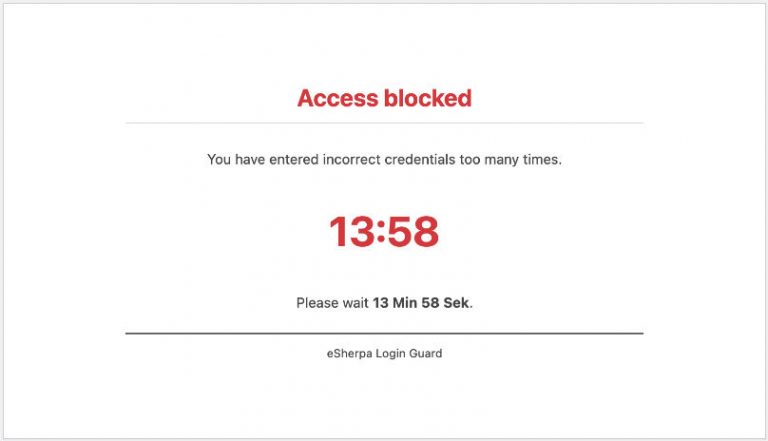
– **Progressive lockout durations**: Lockout time automatically doubles on repeat offenses (e.g., 15 → 30 → 60 → 120 minutes).
– **Immediate lockout** for defined «protected» usernames (e.g., «admin», «test») – independent of the normal counter.
– **Clear countdown display** and «X attempts remaining» notice on the login page.
– **Live alarm** in the admin overview for new failed attempts (automatic refresh).
– **Red badge** in the admin menu when IPs are actively locked.
– **Detailed logs**: Failed attempts with attempted username + successful logins/logouts.
– **XML-RPC Honeypot**: When XML-RPC is disabled, a fake user list is returned – attackers try these names and immediately trigger lockout.
– **Block REST API user endpoint** (/wp-json/wp/v2/users hidden).
– **Redirect author archives** (prevent ?author=1).
– **Privacy-compliant**: IPs stored only as anonymized hashes.
– **Automatic cleanup** of old failed attempts (configurable).
– **Email notification** to admin on attacks against existing users.
Developed in Switzerland – fast, clean, performant, and multilingual ready.
Compatible with WordPress 6.9 and PHP 8.3.
== Installation ==
1. Search for the plugin in «Plugins → Add New» or upload and activate.
2. Optional: Adjust settings under «Login Guard» in the admin menu (e.g., max failed attempts, base lockout time, protected usernames).
3. Done – protection runs automatically.
== Frequently Asked Questions ==
= How are IPs stored? =
Only as anonymized MD5 hashes – no plain-text IPs in the database (GDPR-compliant).
= Can I manually unblock IPs? =
Yes – directly in the admin overview with one click (counter is reset).
= Does it work with caching plugins? =
Yes – protection hooks early on wp-login.php, before caching.
= What happens on successful login? =
All counters and locks for that IP are immediately cleared.
= Can I still use XML-RPC? =
Yes – simply disable the option. When enabled, XML-RPC is fully disabled and a honeypot is activated.
== Screenshots ==
1. Lockout message with large countdown and plugin credit
2. Early warning on login page with remaining attempts
3. Admin overview with currently locked IPs, live alarm, and unblock option
4. Detailed logs of failed attempts (including attempted username)
5. Successful logins & logouts in separate view
6. Comprehensive settings including honeypot users, protected names, and additional protections
== Changelog ==
= 2.5.1 =
* Immediate lockout for protected usernames (honeypot usernames)
* Live alarm for new failed attempts on admin page
* Email notification on attacks against existing users
* Extended XML-RPC honeypot with configurable fake users
* Automatic cleanup of old failed attempts
* Improved design and many detail enhancements
= 2.1.1 =
* Full multilingual support (DE/EN/FR/IT)
* Confirmed compatibility with WordPress 6.9 and PHP 8.3
* Minor optimizations
= 2.0 =
* Introduced progressive lockout times
* Admin menu with red badge for active locks
* Improved user guidance
= 1.0 =
* Initial stable release
== Upgrade Notice ==
Simply update – all settings are preserved. New features are available immediately.